Apple has announced its latest Mac mini with M6 and M5 Pro, bringing major upgrades in processing power, graphics, artificial intelligence, memory bandwidth and connectivity while keeping the same remarkably compact design.
The new Mac mini lineup was announced on 25 August 2026 and is scheduled to become available from 22 September 2026. Until then, the new models remain an upcoming addition to Apple’s Mac lineup.
For developers, designers, creators, businesses and Apple users considering their next desktop upgrade, there is plenty to understand about the new generation.
So, what exactly has changed in the Mac mini M6, how powerful is the M5 Pro, and how different are the two models?
Let’s take a closer look.
Apple Mac mini Gets M6 and M5 Pro
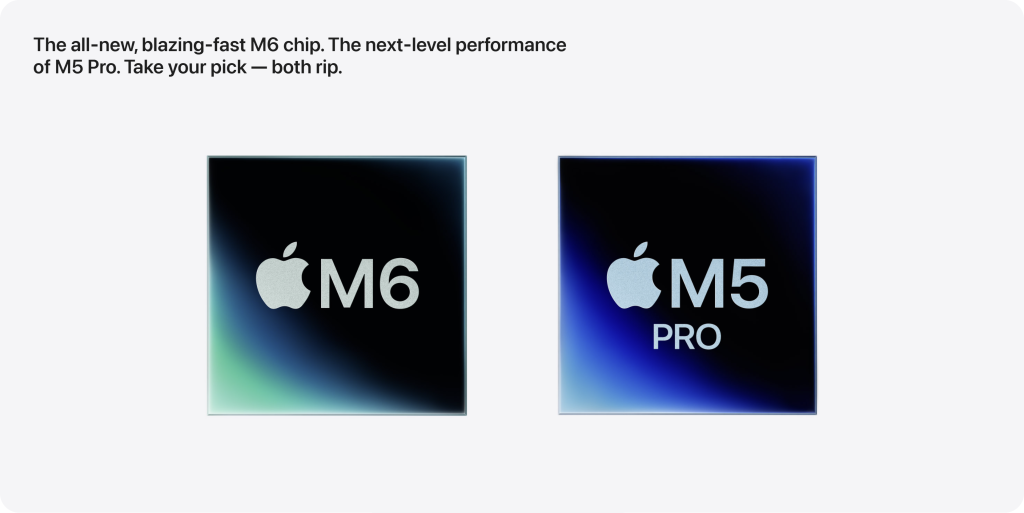
Apple has introduced two processor options for the latest Mac mini:
- Apple M6
- Apple M5 Pro
The M6 is positioned as the mainstream Mac mini chip, while the M5 Pro is designed for users who require considerably more CPU, GPU, memory and I/O performance.
While both versions share essentially the same compact chassis, the hardware available inside them can be significantly different.
The biggest improvements in this generation focus on:
- CPU performance
- GPU performance
- Artificial intelligence
- Unified memory
- Memory bandwidth
- Storage speed
- Thunderbolt connectivity
- Wireless networking
This makes the new Mac mini more than a routine processor refresh.
Mac mini M6 Specifications
The new Apple M6 uses a 12-core CPU configuration.
It includes:
- 12-core CPU
- 2 Super cores
- 4 Performance cores
- 6 Efficiency cores
- 12-core GPU
- Neural Accelerators
- Hardware-accelerated ray tracing
- Dual 16-core Neural Engine
The inclusion of Super cores is one of the notable architectural changes in the new chip.
Apple is also putting significant emphasis on AI performance in this generation, with Neural Accelerators integrated into the GPU alongside the dedicated Neural Engine.
Mac mini M6 Unified Memory
The Mac mini M6 starts with:
16GB unified memory
Buyers can configure it with:
- 16GB
- 24GB
- 32GB
The memory bandwidth also varies depending on configuration.
The base configuration provides around 153GB/s memory bandwidth, while higher configurations can reach approximately 170GB/s.
This additional bandwidth can become useful when working with large applications, creative workloads and memory-intensive tasks.
For everyday office work, 16GB may already provide sufficient capacity.
However, developers, designers, editors and other professionals may benefit from 24GB or 32GB depending on their workload.
Mac mini M6 Storage Options
Apple offers several SSD options with the M6 Mac mini.
These include:
- 256GB
- 512GB
- 1TB
- 2TB
The maximum internal storage available on the M6 configuration is therefore 2TB.
The right storage configuration depends largely on usage.
A user working mainly with cloud applications may be comfortable with 256GB or 512GB, while developers, photographers and video professionals may prefer 1TB or more.
How Powerful Is the Mac mini M6?
Apple claims significant performance improvements compared with the previous M4 generation.
According to Apple’s testing, M6 can provide:
- Up to 40% faster CPU performance
- Up to 2x faster graphics
- Up to 2x faster storage
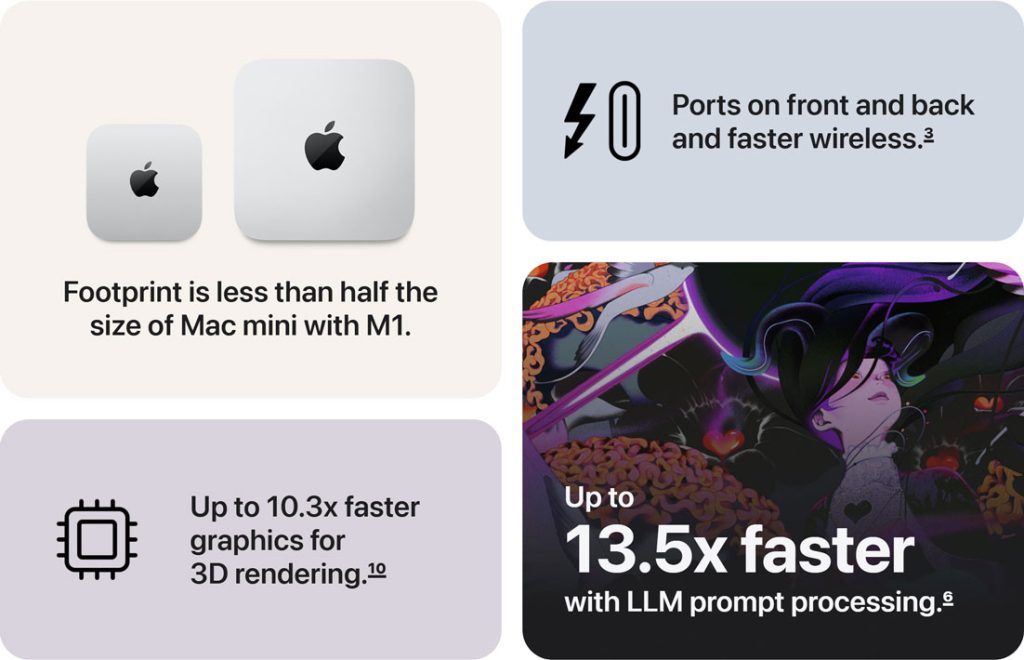
- Up to 4x faster AI performance
These are Apple’s own benchmark claims and performance will vary depending on software, configuration and workload.
The AI improvement is particularly significant because Apple is increasingly designing its processors around workloads involving machine learning and local AI processing.
Applications that use AI for image editing, coding assistance, content generation, video processing and other intelligent features may therefore benefit substantially from the newer architecture.
AI Is Becoming a Major Part of Mac Performance
One of the most important changes in the M6 generation is the increased focus on on-device artificial intelligence.
The M6 includes Neural Accelerators within its GPU architecture along with a Dual 16-core Neural Engine.
This means AI tasks do not necessarily need to rely entirely on cloud processing.
Local AI can be useful for workloads such as:
- Running local language models
- AI-assisted image editing
- Intelligent video processing
- Coding tools
- Machine learning development
- Generative applications
- AI-powered productivity software
Apple’s own testing using LM Studio showed substantially faster large-language-model processing compared with the previous M4 generation.
This suggests that local AI performance may become one of the biggest reasons to consider newer Apple Silicon systems over previous generations.
Mac mini M5 Pro: Built for More Demanding Workloads
The Mac mini with M5 Pro takes performance considerably further.
The standard M5 Pro configuration includes:
- 15-core CPU
- 16-core GPU
- 16-core Neural Engine
- Neural Accelerators
- Hardware-accelerated ray tracing
It can also be configured with:
- 18-core CPU
- 20-core GPU
That makes the M5 Pro significantly more powerful than the standard M6 when workloads can effectively utilise additional CPU and GPU resources.
M5 Pro Unified Memory
Memory is one of the biggest differences between M6 and M5 Pro.
The M5 Pro starts with:
24GB unified memory
It can be configured with:
- 24GB
- 48GB
- 64GB
The M5 Pro also provides approximately:
307GB/s memory bandwidth
For comparison, the M6 reaches up to around 170GB/s.
That gives the M5 Pro substantially more memory bandwidth.
This becomes particularly important when working with:
- Large video projects
- Complex 3D scenes
- Large datasets
- AI models
- GPU-intensive applications
- Multiple professional applications simultaneously
M5 Pro Storage Options
The Mac mini M5 Pro starts with a larger SSD configuration than the M6.
Available storage options extend up to:
- 512GB
- 1TB
- 2TB
- 4TB
- 8TB
An 8TB maximum SSD capacity makes the M5 Pro far more suitable for professionals who need large amounts of high-speed internal storage.
Mac mini M6 vs M5 Pro
Here is a simple comparison between the two upcoming Mac mini configurations.
| Specification | Mac mini M6 | Mac mini M5 Pro |
|---|---|---|
| CPU | 12-core | 15-core, up to 18-core |
| GPU | 12-core | 16-core, up to 20-core |
| Neural Engine | Dual 16-core | 16-core |
| Unified Memory | 16GB–32GB | 24GB–64GB |
| Memory Bandwidth | Up to 170GB/s | 307GB/s |
| SSD Storage | Up to 2TB | Up to 8TB |
| Thunderbolt | Thunderbolt 4 | Thunderbolt 5 |
| Ethernet | 2.5Gb, optional 10Gb | 2.5Gb, optional 10Gb |
| Wi-Fi | Wi-Fi 7 | Wi-Fi 7 |
| Bluetooth | Bluetooth 6 | Bluetooth 6 |
| External Displays | Up to 3 | Up to 3 |
| Starting Price in India | ₹99,900 | ₹2,09,900 |
The important point is that the M5 Pro is not simply a slightly faster version of the M6.
It is designed for a different level of workload.
Same Small Mac mini Design
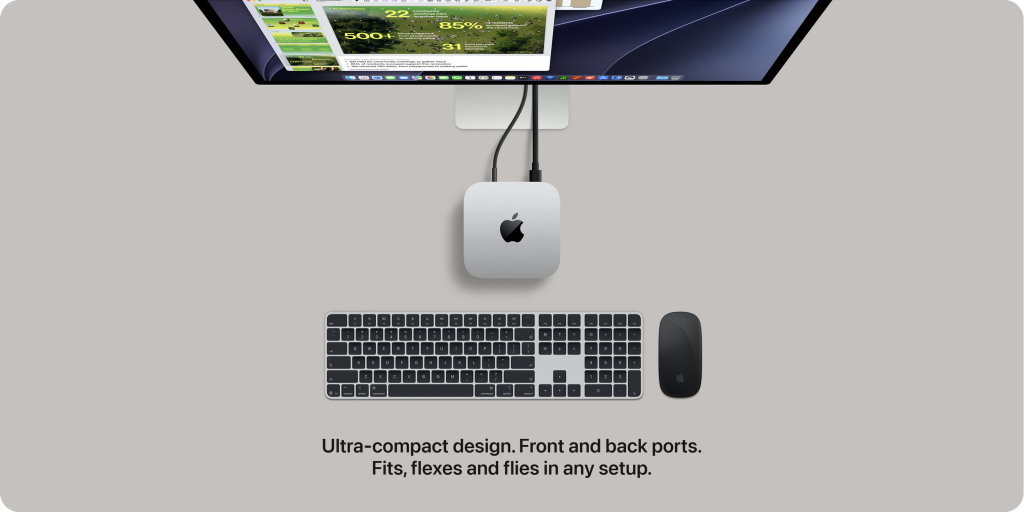
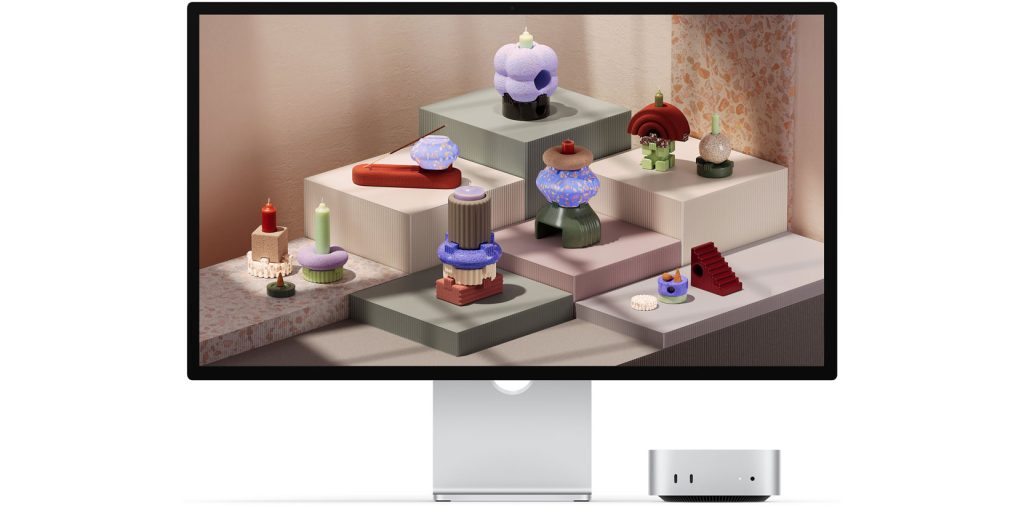
Despite all the additional performance, Apple has retained the extremely small Mac mini form factor.
The new Mac mini measures approximately:
12.70 cm × 12.70 cm × 4.97 cm
That is roughly:
5 × 5 × 1.96 inches
The M6 model weighs approximately 0.67 kg, while the M5 Pro version weighs approximately 0.73 kg.
This means Apple is delivering significantly more processing capability without increasing the physical footprint of the system.
The compact size makes the Mac mini particularly interesting for:
- Small workspaces
- Development desks
- Creative studios
- Multi-system setups
- Home offices
- Corporate workstations
Front Ports
Apple has placed useful connectivity on the front of the Mac mini.
Both models include:
- Two USB-C ports
- 3.5mm headphone jack
The front USB-C connections support USB 3 speeds.
The higher-performance Thunderbolt connections remain on the rear.
Mac mini M6 Rear Connectivity
The Mac mini M6 includes:
- Three Thunderbolt 4 ports
- HDMI
- 2.5Gb Ethernet
- Power connection
Thunderbolt 4 supports transfer speeds of up to 40Gbps.
Users can also configure the Mac mini with 10Gb Ethernet if significantly faster wired networking is required.
Thunderbolt 5 Comes to the M5 Pro
One of the major advantages of the M5 Pro model is Thunderbolt 5.
Instead of Thunderbolt 4, M5 Pro includes three Thunderbolt 5 ports.
Thunderbolt 5 can provide bandwidth of up to 120Gbps in supported scenarios.
This can benefit users connecting:
- High-speed external SSDs
- Professional storage systems
- High-resolution monitors
- Advanced docking systems
- Video production equipment
- High-performance peripherals
For most everyday users, Thunderbolt 4 is already extremely fast.
Thunderbolt 5 becomes more meaningful for professional environments where external bandwidth can become a performance bottleneck.
Wi-Fi 7 and Bluetooth 6
Wireless connectivity has also received an upgrade.
The new Mac mini includes:
Wi-Fi 7
and
Bluetooth 6
Apple is also using its N1 networking chip.
For modern offices with Wi-Fi 7 infrastructure, this provides the potential for faster wireless performance, lower latency and improved network efficiency.
Wired networking has also improved, with 2.5Gb Ethernet now available as standard.
Support for Up to Three Displays
Both the M6 and M5 Pro Mac mini can support up to three external displays.
This is particularly useful for:
- Developers
- Designers
- Video editors
- Finance professionals
- Data analysts
- Multitasking-heavy office users
The M6 supports advanced display configurations including resolutions up to 8K, depending on the complete monitor setup.
The M5 Pro provides additional display bandwidth through Thunderbolt 5 and DisplayPort 2.1 capabilities.
That gives professional users greater flexibility when building high-resolution or high-refresh-rate workstation setups.
Media Engine for Video Workloads
Apple Silicon includes dedicated hardware for common professional video formats.
The new Mac mini supports hardware acceleration for formats including:
- H.264
- HEVC
- ProRes
- ProRes RAW
- AV1 decoding
Dedicated video encode and decode engines help reduce the workload placed directly on the CPU when editing or exporting supported video formats.
This is one of the reasons Apple Silicon systems can perform particularly well in applications such as Final Cut Pro.
Mac mini M6 for Developers
The M6 could become an interesting option for developers who want macOS performance without purchasing a MacBook Pro or larger desktop system.
The combination of:
- 12-core CPU
- Up to 32GB unified memory
- Fast SSD storage
- Multiple-display support
- Thunderbolt 4
should provide enough performance for many development environments.
Users running heavier development workloads, multiple simulators, complex builds or local AI environments may find the M5 Pro more appropriate.
Mac mini M6 for Designers and Creators
Graphic designers working primarily with applications such as Photoshop, Illustrator, Lightroom and other creative software may not necessarily need M5 Pro performance.
The M6 provides a 12-core GPU, hardware ray tracing and up to 32GB of unified memory.
For photographers, designers and general content creators, a higher-memory M6 configuration could therefore provide a good balance between performance and cost.
Video professionals dealing with more complex timelines, 3D effects or high-resolution media may benefit more from the M5 Pro.
Who Is the M5 Pro Designed For?
The M5 Pro becomes more relevant when the workload can make use of additional CPU cores, GPU cores and memory bandwidth.
Potential users include:
- Professional video editors
- 3D artists
- VFX professionals
- Game developers
- Software developers
- AI developers
- Researchers
- Engineers
- Professional creative teams
The ability to configure up to 64GB of unified memory is especially important for users who work with larger datasets or local AI models.
Mac mini M6 Price in India
Apple has announced a starting India price of:
Mac mini with M6
₹99,900
Education pricing starts at:
₹88,900
Mac mini with M5 Pro
Starting price:
₹2,09,900
Education pricing starts at:
₹1,97,900
These are starting prices, and higher memory, storage, processor and networking configurations will cost more.
When Will Mac mini M6 Launch in India?
Apple announced the new Mac mini generation on 25 August 2026.
The Mac mini M6 and M5 Pro are scheduled to become available beginning:
22 September 2026
Therefore, as of early September 2026, these are newly announced products rather than systems already widely available to customers.
Once the machines begin reaching users, independent benchmark testing should provide a clearer picture of real-world performance compared with Apple’s launch claims.
M6 or M5 Pro: Which One Looks More Suitable?
Based on the specifications Apple has announced, the M6 should be more than sufficient for a large number of users.
It appears particularly well suited to:
- Everyday business users
- Developers
- Designers
- Students
- Office professionals
- Content creators
- Home users
The M5 Pro is targeted more directly at professional workloads where additional performance can translate into measurable time savings.
It makes more sense for users working with:
- 3D rendering
- Professional video production
- AI development
- Large local AI models
- Complex coding environments
- High-end creative applications
- Large datasets
Buying the highest specification is therefore not automatically the best choice.
The right Mac mini depends on what applications will actually be running on it.
What Makes This Mac mini Generation Interesting?
There are several reasons why this Mac mini update stands out.
First, Apple has retained the extremely small physical design while increasing performance.
Second, artificial intelligence is becoming much more central to Apple’s processor architecture.
Third, memory and connectivity are improving alongside raw processing performance.
And finally, M5 Pro introduces capabilities such as Thunderbolt 5 and 307GB/s memory bandwidth without requiring users to move to a much larger desktop computer.
The combination of compact dimensions and increasingly workstation-class specifications continues to make the Mac mini an unusual product in the desktop computer market.
Final Thoughts
The Mac mini M6 and M5 Pro represent a major performance-focused update to Apple’s compact desktop lineup.
The M6 brings a 12-core CPU, 12-core GPU, dedicated AI acceleration, up to 32GB unified memory, Wi-Fi 7 and support for multiple high-resolution displays.
The M5 Pro takes things considerably further with up to an 18-core CPU, 20-core GPU, 64GB unified memory, 307GB/s memory bandwidth, Thunderbolt 5 and SSD configurations reaching 8TB.
For most users, the M6 appears to provide the more balanced combination of performance and price.
For demanding professional workloads, the M5 Pro offers significantly greater headroom.
However, specifications and manufacturer benchmarks only tell part of the story. Once the new Mac mini officially reaches users from 22 September 2026, independent real-world testing will give us a much clearer understanding of how much faster the M6 and M5 Pro actually are in everyday applications.